
Customer service for OTTO, Amazon and Mirakl
Conciva brings your customers’ messages into one inbox. At the press of a button the AI drafts a reply from your company knowledge.
Runs in the browser today at concierge.inomerce.com, with the same steps as in the video and no credit card.
Screenshots from the iPhone app with the invented company “Demo Möbelhandel”.
How a case runs
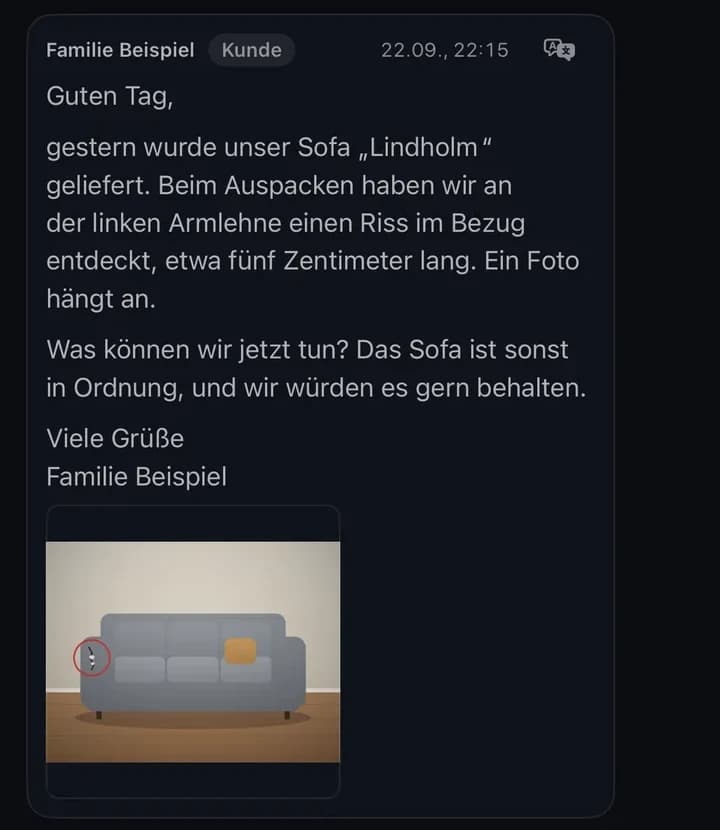
Familie Beispiel reports a tear in their sofa cover. We show the draft and the approval with other demo cases.
The message arrives
Conciva files it with the photo and order number under “Antwort nötig” (reply needed).
The order sits alongside
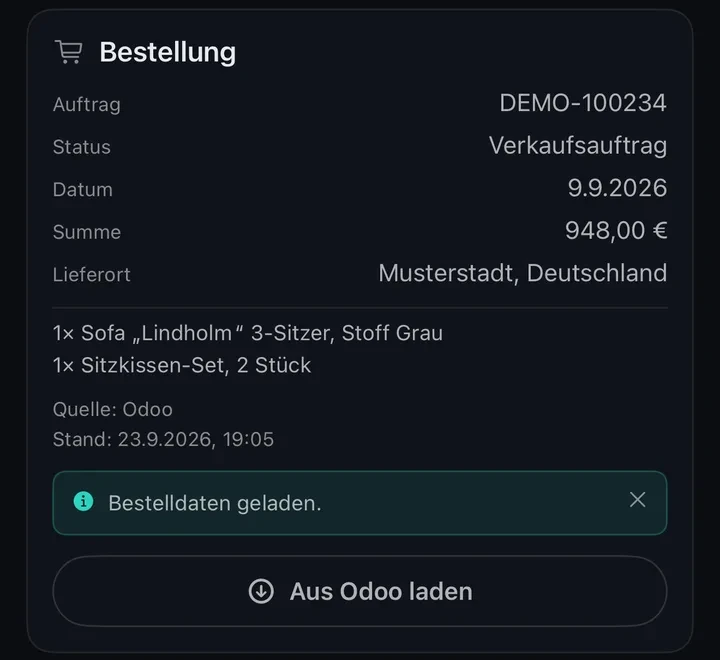
“Aus Odoo laden” (load from Odoo) brings the order with its lines and delivery place into the conversation.
“Formulieren” writes the draft
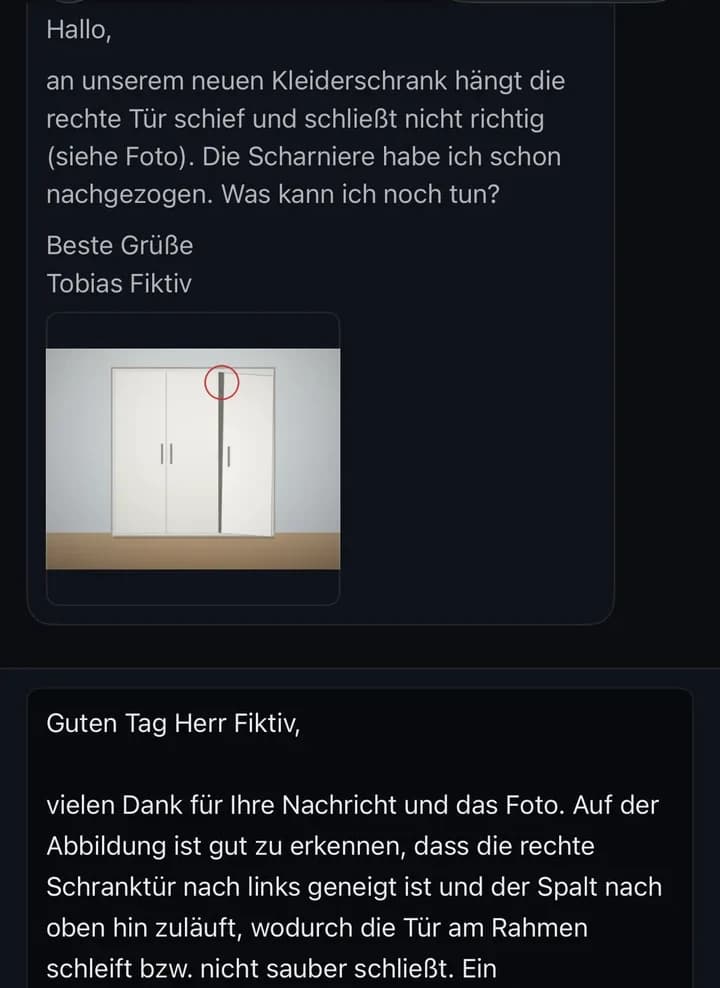
For 2 credits the AI reads the conversation, the order, up to four photos and your company knowledge.
Approve or return
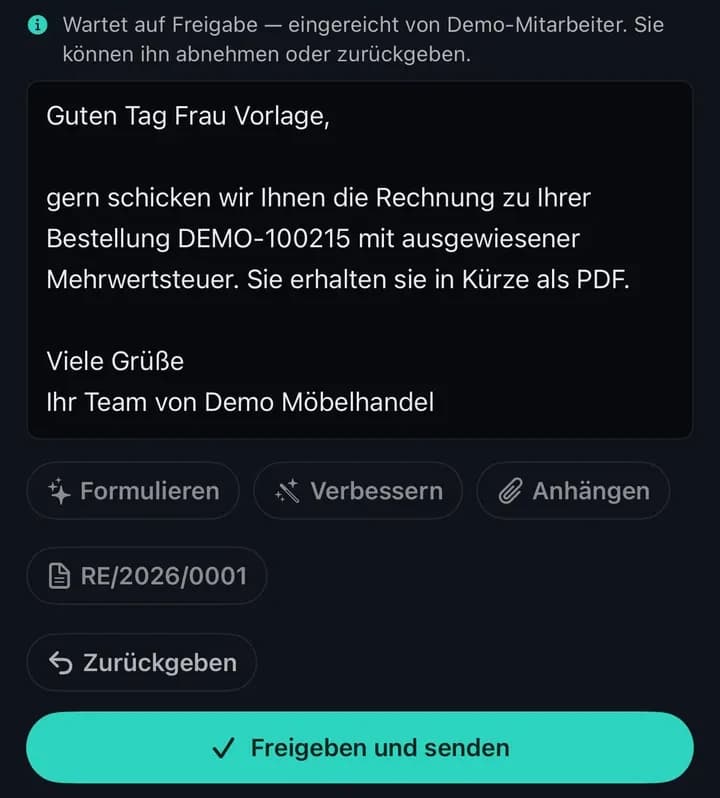
Whoever approves sends the submitted draft or returns it with a reason.
Details
- For the sofa, the AI would read the entry “Transportschäden” (transport damage) from your company knowledge.
- The draft in the picture is about a crooked wardrobe door. In it the AI describes what the photo shows.
- If you’d rather write yourself, “Verbessern” (improve) reworks your text for 1 credit and is told not to change what it promises.
- Anyone who may write drafts but not send taps “Zur Freigabe einreichen” (submit for approval). The draft is then locked until its author withdraws it.
- Whoever approves may still edit the text and sends exactly that wording with “Freigeben und senden” (approve and send).
- The submitted draft in the picture answers an invoice request. Invoice RE/2026/0001 from Odoo is ready as a button and attaches with one click.
Returned, an example from the demo
Hannes Probe asks when his dining table will arrive. He has to take a day off work for the delivery.
- Draft
- „Ihr Esstisch ist unterwegs und kommt bald.“ (Your dining table is on its way and will arrive soon.)
- Reason
- Bitte den Liefertermin aus der Sendungsverfolgung nennen und die Sendungsnummer ergänzen. Mit „bald“ kann der Kunde seinen Urlaubstag nicht planen. (Please give the delivery date from the tracking and add the tracking number. With “soon” the customer cannot plan his day off.)
What you need to get started
You accept the data processing agreement and enter the access details for each channel.
Mirakl marketplaces
Mirakl address and API key; your reply goes back through Mirakl.
OTTO Market
Your OTTO request mailbox, plus the OTTO interface for order data.
Amazon buyer messages
The mailbox Amazon forwards to. Conciva only picks up mail from Amazon’s relay addresses.
Odoo, optional
Order and invoices at a click. Conciva only reads.
Access details per channel
- Mirakl marketplaces
- What you enterThe marketplace’s Mirakl address and your API key.What arrives in ConcivaThe messages with attachments, and your reply goes back through Mirakl.
- OTTO Market
- What you enterThe mailbox with your OTTO customer requests (IMAP and SMTP), and for order data the client ID and secret of the OTTO interface.What arrives in ConcivaThe customer requests and the order data from OTTO. Replies go to OTTO’s encrypted customer address.
- Amazon buyer messages
- What you enterThe mailbox Amazon forwards buyer messages to (IMAP and SMTP). Amazon offers no interface for fetching buyer messages and replying to them freely.What arrives in ConcivaOnly mail from Amazon’s relay addresses, with the order number recognised. Replies go back to the relay address.
- Odoo, optional
- What you enterAccess to your Odoo; Conciva only reads. The order in Odoo has to carry the marketplace order number, as order number, customer reference or source.What arrives in ConcivaOrder, status, date, total, delivery place, order lines and posted invoices, each at a click. Without Odoo you see the order number wherever the marketplace provides it.
You find the agreement in Conciva under “Vertrag” (contract). The first fetch brings in the messages of the last 30 days. Conciva does not connect other marketplaces or ERP systems yet. If yours is missing, write to us at support@inomerce.com.
What else Conciva does
In the browser, today
- Translate a customer message into German with one click
- Invite more people by link, with permissions per person
- An image for the reply through The Vision
- Tone and rules from The Brain in every draftAbout The Brain
With the iPhone and iPad app
Soon- Notifications for new messages and approvals
- Keep company knowledge right in the app
- Learn from sent replies
Details
In the browser, today
- The inbox has six views: Antwort nötig, Freigaben, Offen, Meine, Erledigt and Alle (reply needed, approvals, open, mine, done, all). Each row shows the marketplace, the customer, the order number and the start of the message.
- The translation is kept, so each message is translated only once.
- An image only works if the customer has sent a photo. The Vision turns your description into one to four images, for example a sketch of where the drawer runner belongs. In the browser you attach the image yourself.
- Along with tone and rules, your entries on shipping, returns or assembly go into the draft. If there are too many, Conciva takes the ones that match the question.
With the iPhone and iPad app
Soon- The app notifies you once Conciva has fetched a new customer message, when a draft is waiting for approval, and when your own draft has been returned or sent.
- In the app you write tone, rules and entries directly in Conciva or import them from PDF, RTF, text and Markdown.
- Learning from sent replies is a switch you turn on yourself. After a reply has been sent, the AI suggests what it has learned, and none of it is used before you approve it.
When a part is missing or broken
Conciva keeps the spare-part order right in the conversation.
- 1
Have a note suggested
The AI sums up conversation and photos for the warehouse, for 1 credit.
- 2
Create the order
The note becomes an order with an item and a quantity.
- 3
Enter the tracking number
Once the part is on its way, you report it as shipped.
- 4
The shipping message goes out
Conciva sends the customer the tracking number right away, for 1 credit.
Details
- In the demo, Familie Neumann is missing four M6 × 30 screws, and one of Birgit Modell’s table legs has a deep dent.
- “Ersatzteil-Notiz vorschlagen” (suggest spare-part note) writes the note; you can also write it yourself.
- Anyone with the permission “Ersatzteile versenden” (ship spare parts) may create the order.
- The AI writes the shipping message with the tracking number, a request for a review and a note that it was generated automatically. It goes out without review.
A spare-part order from the demo
- Note
- Tischbein für Esstisch Nussbaum 180 × 90 cm (DEMO-ESS-180), inklusive vier Schrauben M8 …
- Quantity
- 1
- Item
- Tischbein Nussbaum, 72 cm
Limits and data protection
Privacy policy, section on ConcivaWho sends
A person sends every reply, except the shipping message for a spare part.
What the AI sees
Conversation, customer name, order, up to four photos and company knowledge, not the delivery address.
New messages
Every three minutes while the inbox is open, otherwise currently once a day.
Data and AI
Web app and database in London, AI from Google Gemini without training.
Details
- Fetching
- While the inbox is open in the browser, Conciva fetches new messages every three minutes. If it is not open anywhere, Conciva currently checks the marketplaces only once a day, early in the morning.
- Mistakes
- The AI is told not to invent delivery dates, refunds or guarantees. It can still be wrong, especially when something is missing from your company knowledge.
- No access
- The AI has no access to tracking or your stock.
- AI provider
- Google Gemini through the paid API, and Google does not train models with it. Only the app asks for a separate consent to the AI, the browser does not.
- Location
- Application (Vercel) and database (Supabase) run in London. Vercel is a US company, so a transfer to the USA is possible.
- Contract
- You remain the controller, and we process your customers’ data on your behalf.
What a reply costs
One credit is one cent, charged to the company owner, whoever clicks.
| Action | Credits | Euro |
|---|---|---|
| Reply draft with “Formulieren” | 2 | 0.02 € |
| Rework your own text with “Verbessern” | 1 | 0.01 € |
| Translate a customer message into German | 1 | 0.01 € |
| Suggest a spare-part note | 1 | 0.01 € |
| Shipping message for a spare part | 1 | 0.01 € |
| Image for the reply, through The VisionDepends on quality. | ≈ 15 | ≈ 0.15 € |
| Reading, looking up knowledge, approving, sending | 0 | free |
The same plans as every inomerce app
Buy more credits any time without changing your plan.
0 €forever
250 credits once to start
≈ 125 reply drafts
9.99 €/mo
1,000 credits / month
≈ 500 reply drafts
29.99 €/mo
3,500 credits / month
≈ 1,750 reply drafts
99.99 €/mo
12,000 credits / month
≈ 6,000 reply drafts
All prices incl. VAT. You choose a plan in the browser, in The Vision under “Credits”.
No. Shopify’s interface does not hand out customer messages, and Conciva has no general email channel. It uses IMAP and SMTP only as the route for OTTO Market and Amazon buyer messages.
The browser interface is German only; the iPhone and iPad app also speaks English. The language of your replies does not depend on it, because the AI writes in the language the customer wrote in.
The app is built. We will name a date once it is on the App Store. Until then you work in the browser, and whatever you set up there will be in the app later.
Connect your first marketplace
Sign in with your inomerce account or create one. If you don’t belong to a company yet, Conciva sets one up on your first sign-in.
Questions to support@inomerce.com